What a QR Menu Actually Is in 2026
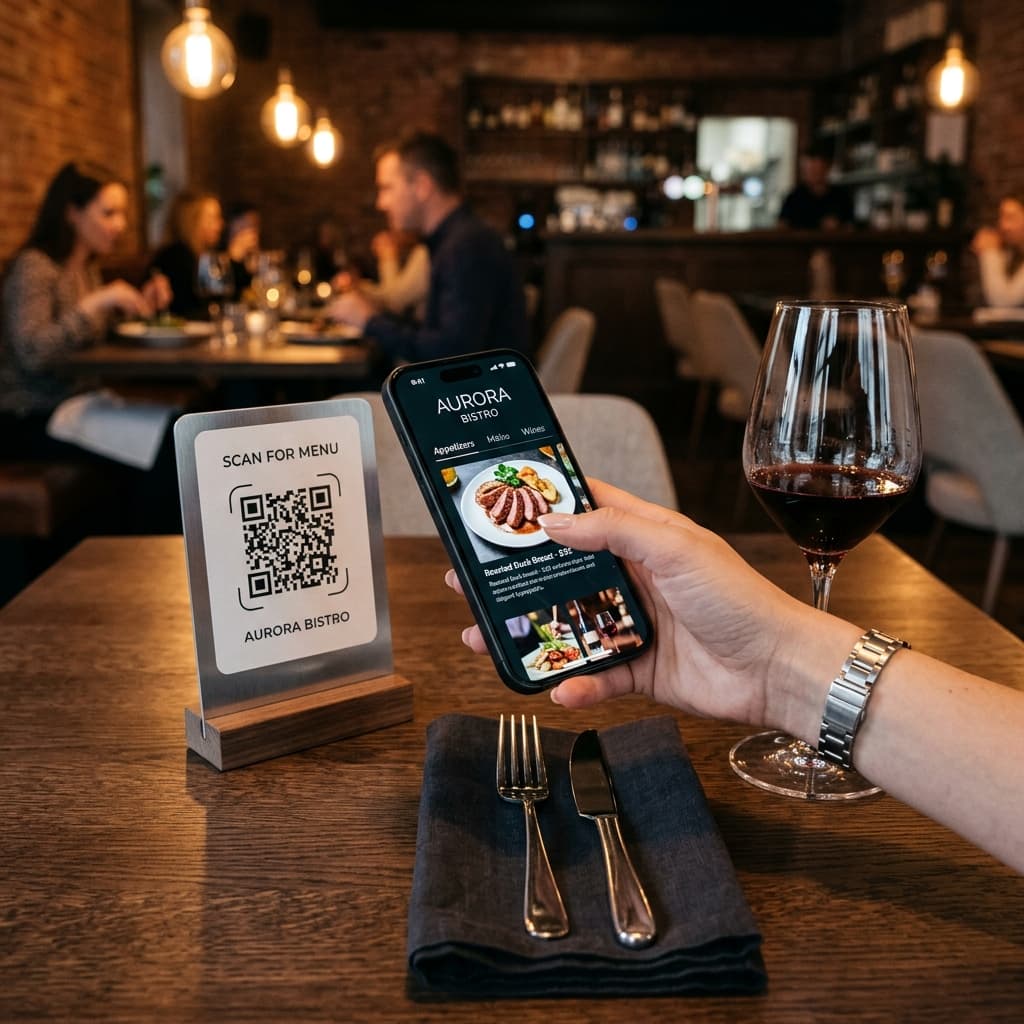
A QR menu is a digital menu that guests access by scanning a QR code — usually a durable table sticker applied directly to the dining surface, though some venues use menu stands or coasters. The code opens a website in the guest's phone browser. No app download required.
At the basic end, a QR menu is a PDF of your paper menu displayed on a phone screen. At the advanced end, it is an interactive ordering system with multiple languages, 3D dish previews, table-side ordering, integrated payment processing, and a kitchen display system that receives orders in real time.
The technology has evolved dramatically since its pandemic-era adoption wave. According to dataintelo.com, the global restaurant QR ordering market was valued at approximately $7.4 billion in 2025 and is projected to reach $22.1 billion by 2034, growing at a CAGR of 12.9%. Approximately 75% of restaurants worldwide now use QR codes for menu access, per data from tableqr.co.
In major urban centres and tourist-heavy areas — Tokyo, Melbourne, Paris, Barcelona, New York — adoption reaches as high as 82%.
Why Restaurants Are Adopting (And Why Some Pull Back)
QR menus accelerated during COVID-19 for obvious reasons. What's more interesting is the nuanced picture that has emerged since:
On the adoption side, the operational benefits are clear and well-documented. Restaurants report AOV increases of 12–35% from integrated digital ordering, according to cross-platform industry data. The mechanisms — visual menus, strategic upselling, and frictionless ordering — have been validated across multiple studies.
On the consumer side, the picture is more complex. While restaurant adoption is near-universal, some consumer segments are pushing back against "over-automation." The National Restaurant Association's 2025 report captures this tension precisely: 83% of operators view technology as a competitive advantage, but only 28% report that it has improved profitability, and only 4 in 10 report improved customer satisfaction.
The generational split is striking:
- Gen Z: 71% demand technology options for full-service dining
- Millennials: 48% expect the same
- Baby Boomers: 65% say technology is important when ordering delivery
The most successful establishments in 2025–2026 are those that use technology for "frictionless" tasks — ordering, paying, menu browsing — while preserving human interaction for genuine hospitality. Data from easymenus.net shows that QR code scan rates jump from 34% to 73% when staff explain the purpose — suggesting that implementation quality matters as much as the technology itself.
The Four Types of QR Menu Systems
Type 1: PDF Menus
The simplest implementation. You upload a PDF of your menu; guests scan and view it. Zero setup cost, zero ongoing cost. Also the worst guest experience — zooming into a PDF on a phone is frustrating. This is the "better than nothing" option. It is not a strategy.
Type 2: Browse-Only Digital Menus
A proper web-based menu with categories, item photos, descriptions, and search. Guests browse and then place their order with a staff member. This works well for table-service restaurants that want to improve the discovery experience without changing their ordering workflow.
Type 3: QR Ordering (Full Self-Ordering)
Guests browse, select, customise, and submit orders directly from their phone. Orders appear on a tablet, POS, or kitchen display without staff involvement. Done well, this reduces ordering errors (with 23–30% accuracy improvement reported by octotable.com), increases AOV, and reduces front-of-house workload.
Type 4: QR Ordering with KDS and Payment
The full stack. Orders route directly to a Kitchen Display System — a screen showing orders in real time in status order (new → preparing → ready). Payment is integrated via Apple Pay, Google Pay, or card. This eliminates kitchen printers, reduces paper waste, and provides end-to-end automation.
For restaurants with volume, a KDS alone improves kitchen efficiency by 15–25% and reduces customer wait times by 20–30%, according to lavu.com. Combined with integrated payment — where digital payment users tip an average of 15% more according to Forbes — this represents the most complete operational upgrade available.
Common Complaints About QR Menus — And What the Data Says
"It's impersonal. It removes the human element."
This is the most common objection, and it contains a real insight. But the distinction between valuable interaction and transactional order entry is worth making. The National Restaurant Association data shows that 74% of operators believe technology will supplement human labour rather than replace it. Restaurants that implement QR ordering consistently report that staff feel freed — they spend more time on the parts of hospitality guests remember.
"My older guests don't like it."
Smartphone penetration in Australia among people over 65 is now over 70% and rising. Where individual guests prefer paper, the solution is simple: keep a small number of physical menus for those who request them. The majority using the digital system doesn't require abandoning it for the minority.
"My venue has poor WiFi."
A well-built digital menu loads once and caches. Guests need approximately 15 seconds of signal to load the menu — not continuous connectivity. For venues with genuinely poor signal, a WiFi access point is a one-time infrastructure fix.
"Ordering errors will increase."
The inverse is universally true. Digital ordering removes the communication chain (guest → server → kitchen), and the data confirms it: up to 90% reduction in order errors with KDS integration, and 23–30% accuracy improvement with digital ordering alone.
What QR Menu Systems Actually Cost
Platform pricing varies, but the typical structure is:
- Free / freemium: Browse-only menu, single language, basic features. Good for testing.
- Starter (A$29–A$79/month): Full digital menu with photos, multiple languages, customisation.
- Ordering (A$79–A$199/month): Self-ordering functionality, basic KDS or kitchen notification.
- Full-stack (A$200+/month or commission): Ordering, KDS, payment, analytics, multi-location.
Commission models (a percentage of each order) can seem attractive upfront but compound at volume. A venue doing A$50,000/month in digital orders at 2% commission pays A$1,000/month — typically more than an equivalent subscription plan. Calculate your expected order volume before choosing.
How to Evaluate a QR Menu Platform
The questions that matter most:
- Does it work without an app download? Guests should access everything through their browser. Requiring an app install is a conversion killer.
- How fast does it load on mobile? Test it on your phone, on mobile data, in your venue.
- Does it support the languages your guests speak? English-only platforms leave money on the table for any venue with international guests.
- How do you update the menu? Real-time updates should be possible without contacting support.
- What happens when something goes wrong mid-service? Understand the support model before Saturday dinner.
- Can you see what guests are looking at? Menu view analytics are valuable for understanding conversion patterns.
- Does it support 3D/AR dish previews? This is where the technology is heading — interacting with photorealistic food models before ordering.
Implementation: What Actually Works
Start with browse-only if your team is hesitant. The biggest risk is forcing full operational change on a team that isn't ready. A browse-only menu is low risk and immediately improves the guest experience.
Photograph your best dishes before going live. A digital menu without photos for key items is a missed opportunity. Research confirms images increase sales for featured items by 25–30%, so prioritise your 10–15 signature dishes.
Put the QR code where guests will actually see it. A durable table sticker placed centrally on each dining surface works best — guests notice it immediately on seating and it survives spills, cleaning cycles, and repositioned tables. Scan rates drop dramatically when guests have to hunt for the code.
Brief your team thoroughly. Staff who understand the system are your best advocates. Staff who feel the system was imposed will undermine it. And the data supports this: scan rates jump from 34% to 73% when staff actively introduce the QR experience.
Keep physical menus available for the first month. Not because most guests will ask — but because having them available removes anxiety from the rollout. Most venues find requests drop to near-zero within weeks.
The Market Is Not Waiting
QR menus are not a temporary trend. 82% of restaurant executives plan to increase AI and automation investment in 2026, according to 360iresearch.com. Mobile ordering drives 30% higher check averages compared to traditional ordering, per incentivio.com. And the consumer expectation, particularly among younger demographics, is now firmly set.
Restaurant technology is evolving from optional to infrastructure. AR previews, AI-powered translation, dietary filtering, and integrated payment are all available now. The restaurants already comfortable with digital menus in 2026 will adopt each new capability as it matures. The ones still reprinting paper menus will face a steeper learning curve each time they eventually make the transition.